Inside Locker
One place to store your music, organise your catalogue and share your work. Keep versions, lyrics and feedback connected as each track develops.
Kii, your AI
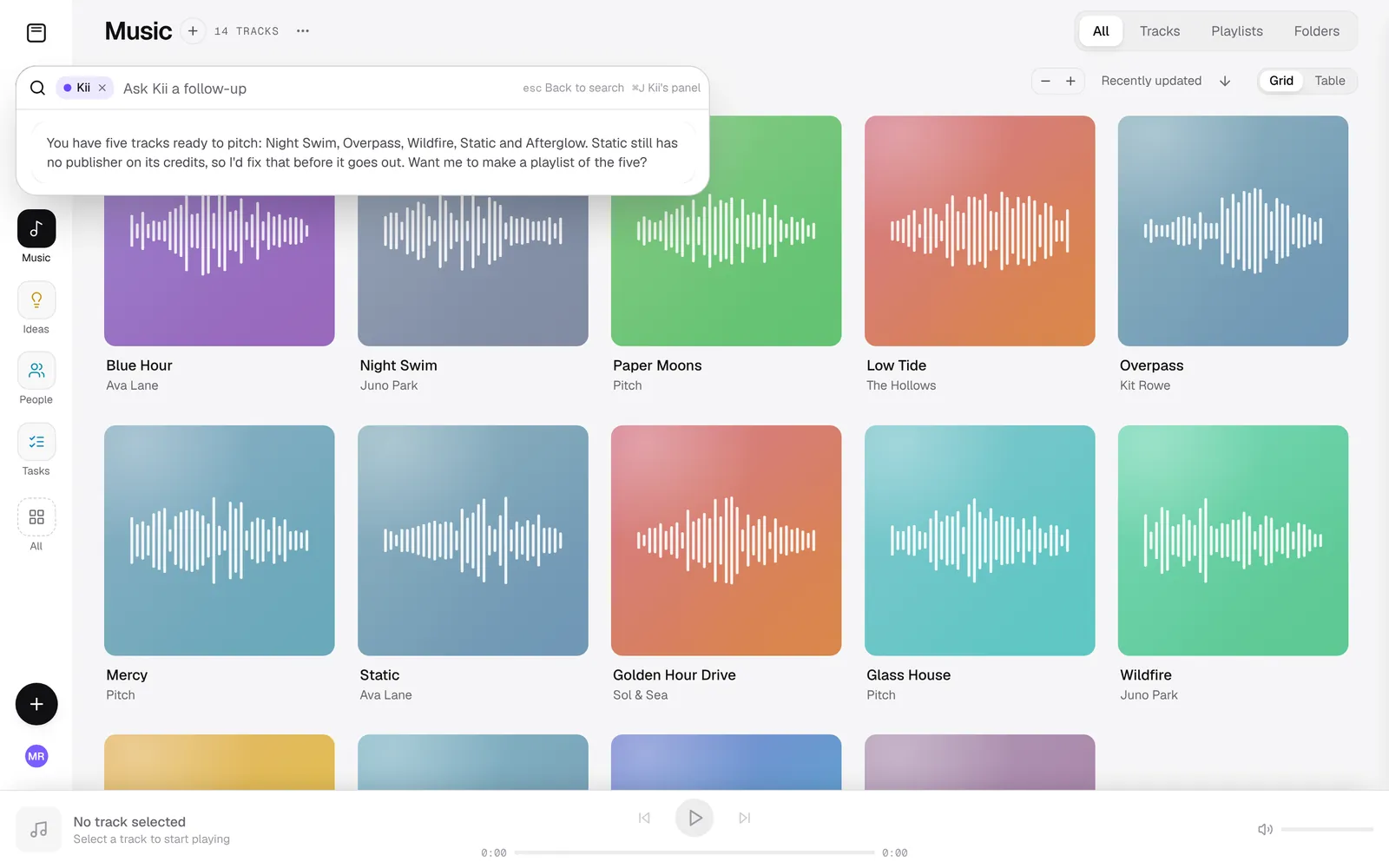
Your assistant for finding music and managing your catalogue.
Catalogue assistant
Ask Kii anything about your music and get a straight answer: counts, gaps, what you've got at a given tempo or key. It can take action too, across dozens of tasks.
Auto-organise
Drop in a folder of bounces and Locker sorts them into tracks and versions. Named, tagged and credited, the way you'd do it by hand.
What Locker knows
Kii learns your catalogue from your files and sources, fills in missing credits and splits, and surfaces suggestions for you to approve. It never changes your data silently.
Write & capture
Catch ideas the moment they land.
Voice notes
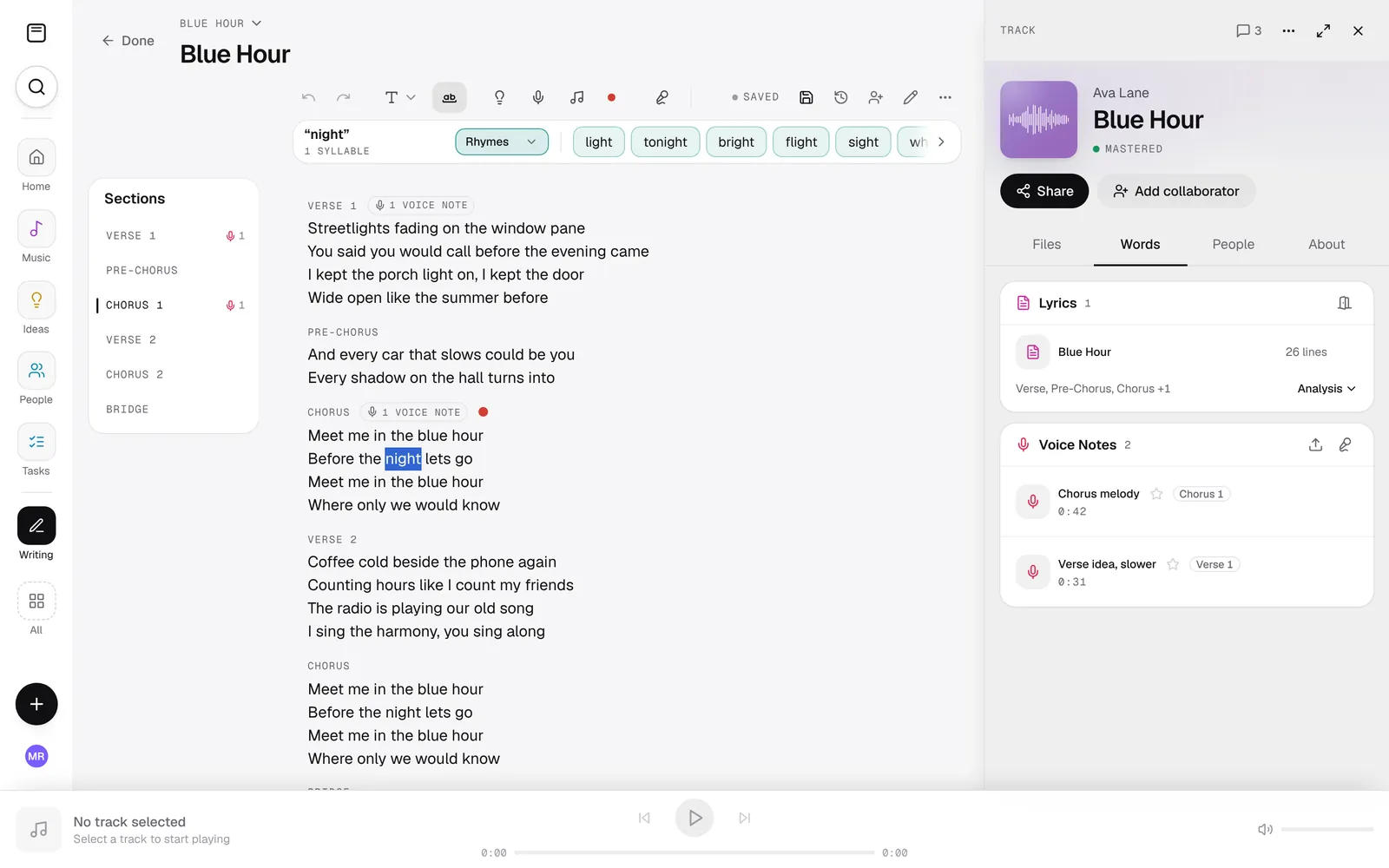
Record an idea on the spot, get it transcribed automatically, and pin it to the exact lyric section it belongs to.
Lyrics editor
Write and structure lyrics with proper sections, kept versioned and tied to the track they belong to.
Rhyme & thesaurus
Built-in rhyme and thesaurus tools that put the words worth singing first: more singable and usable, not just the most common.
Organise
Keep your catalogue in order.
Track management
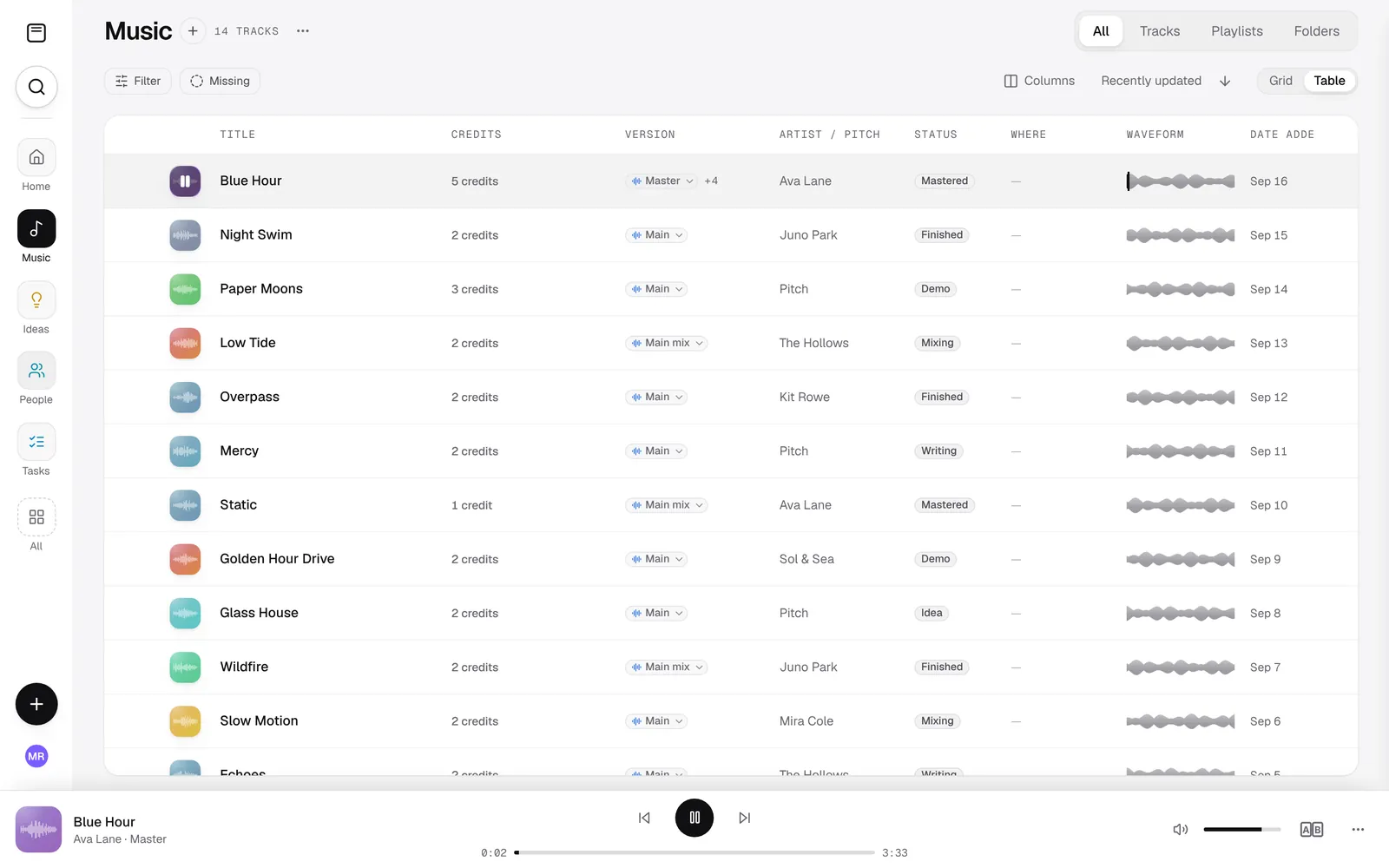
Store each track with its versions, lyrics, artwork and supporting files, ready when you need them.
Versions & A/B compare
Keep every version of a track together and compare mixes side by side.
Audio analysis
Automatic BPM, key, genre, mood and instrument detection, plus waveforms, on every track.
Smart search
Find anything fast with filters for BPM, key, mood, creators, tags and more.
Find similar
Surface tracks that actually sound alike using audio fingerprints. Handy for references and playlisting.
Playlists
Group tracks into playlists for sessions, pitches and releases.
Credits & history
Keep credits and changes easy to follow.
Splits & credits
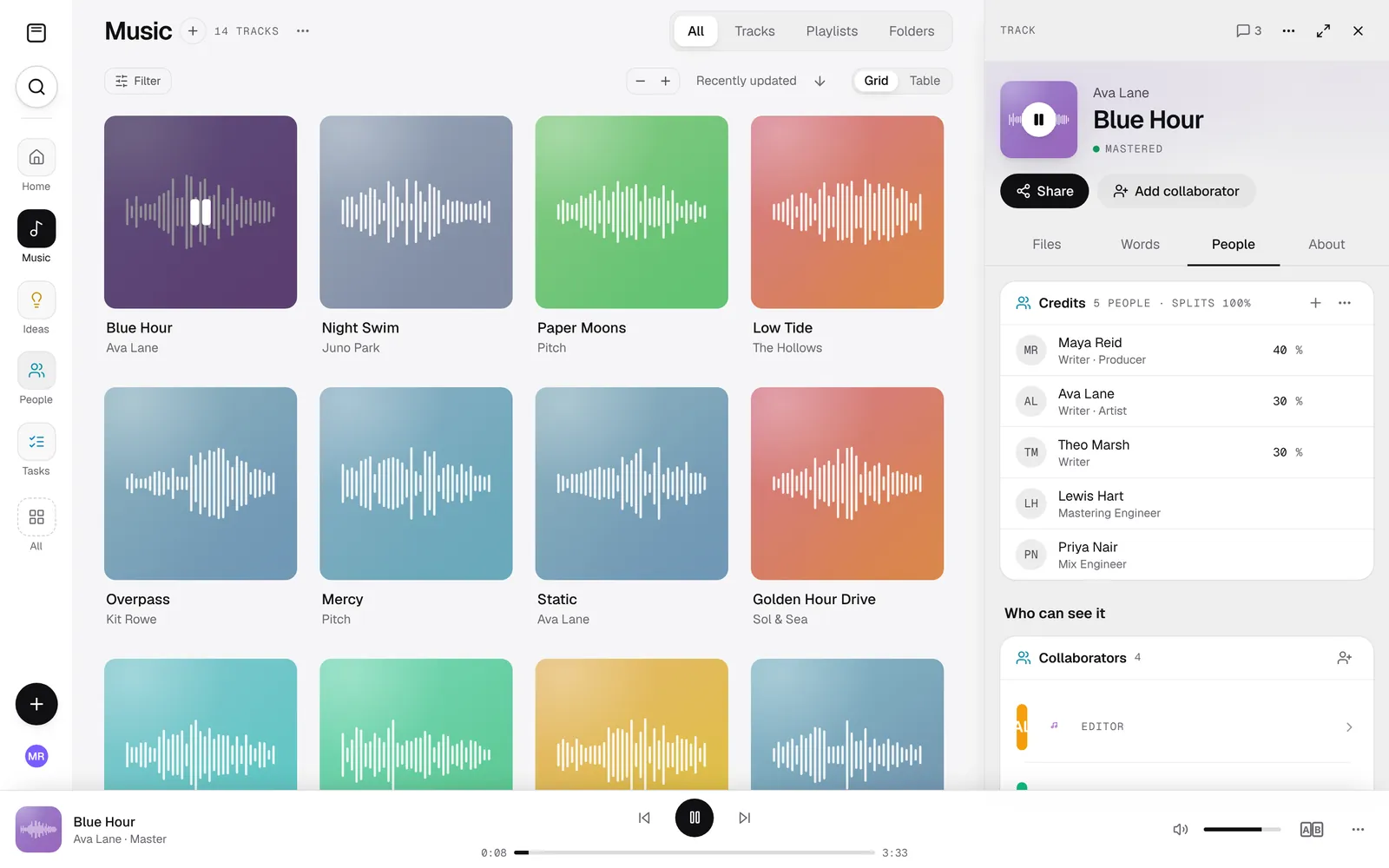
Track writer and producer credits and splits properly, with even-split and per-row editing, and Kii keeps them tidy.
Contacts & collaborators
A contact book of everyone you work with, linked to the songs they're on.
History & undo
Every change is logged in plain English and can be undone, including the things you let Kii do.
Share & deliver
The right version, ready to share.
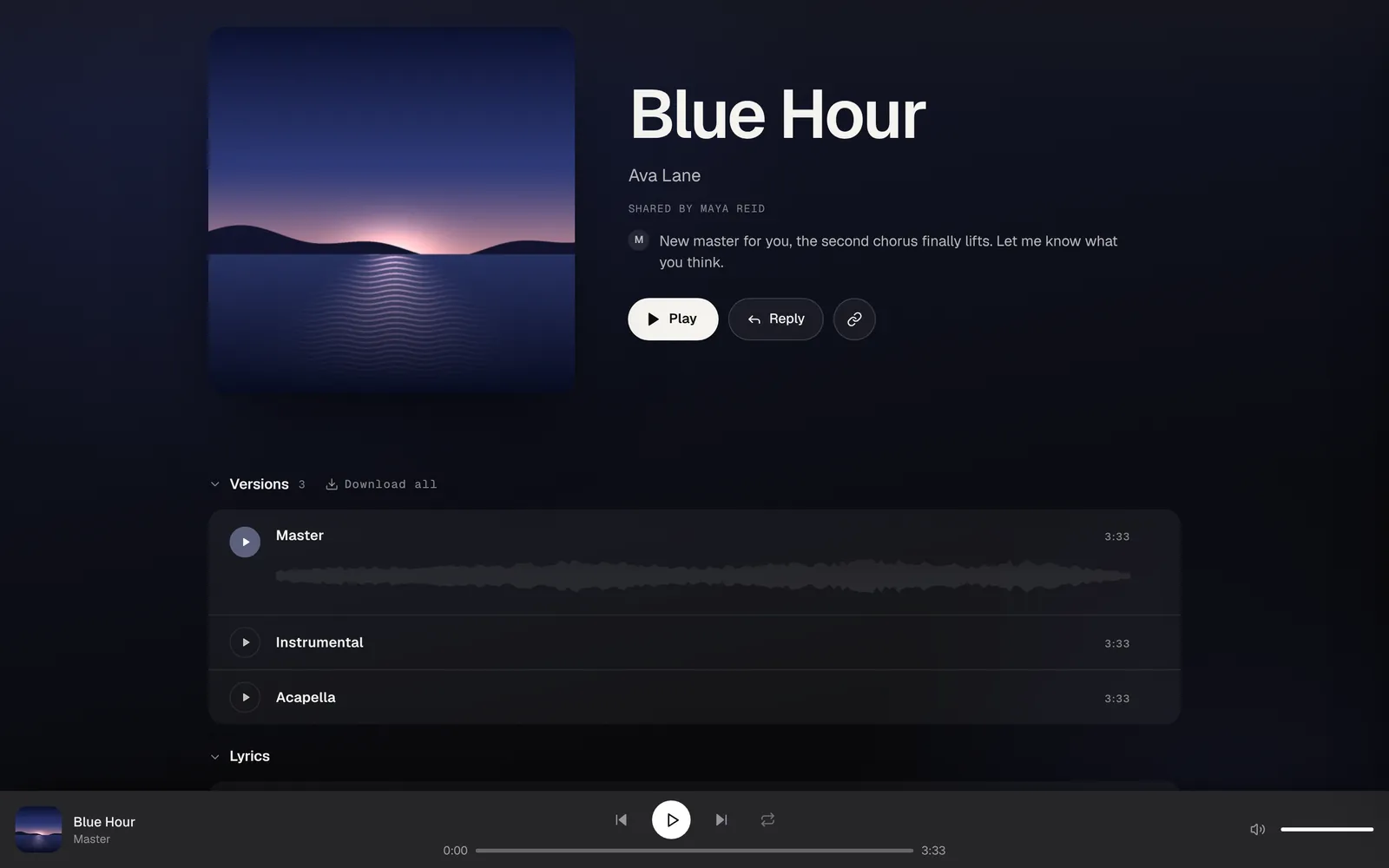
Smart share links
Send tracks, playlists, lyrics or whole folders as a polished, dark-mode-ready page. Each link is a snapshot you can edit later.
Share Insights
See who opened a share, what they listened to, and what they downloaded, across every track and playlist.
Comments & approvals
Feedback and approvals stay attached to the work instead of scattered across email and chat.
Folder & team shares
Add collaborators to whole folders and choose who can view, edit or download what's inside.
Security & access
Your unreleased music, protected.
Encrypted storage & transfer
Files are encrypted at rest and in transit between Locker and your browser.
Access controls
Fine-grained permissions for who can view, edit, download or share.
Cloud storage
Your library, available across every device, without relying on scattered local folders.
Mobile & iOS
Reach your whole catalogue from your phone, including the native iOS app.
Locker in plain terms
The short answers to the questions people ask before they sign up.
What is Locker?
Locker is a music catalogue and collaboration platform for songwriters, producers, artists and the teams around them. It keeps every track, version, lyric, voice note and credit connected in one place, and Kii, its AI assistant, handles the admin across the whole catalogue.
Who is Locker for?
Songwriters, producers and artists organising their own work, and the managers, publishers, A&Rs and sync teams who work with them. It suits a writer with a folder of demos as well as a team pitching a catalogue.
Is Locker music catalogue management software?
Yes, for the people making and pitching the music. It organises tracks, versions, credits, lyrics and metadata, and shares them securely. It is not a publishing administrator or a distributor: it does not register works with collection societies or collect royalties.
Can Locker manage versions, credits and metadata?
Yes. Every demo, mix, master and instrumental of a song sits under one track as a version, with the main version marked. Tempo, key, genre, mood and instruments are detected from the audio for each version. Writers, producers and other credits link to real contact records, splits are tracked per song, and every change is recorded in a history.
How is Locker different from DISCO?
DISCO is the established platform for pitching and licensing finished music. Locker covers the whole life of a song, from the first voice note to the final master, and shares it too. If your work is mostly pitching finished masters to people who already use DISCO, it is a strong choice. If your time goes into organising unfinished work, versions and credits, that is what Locker is built for.
Does Locker use my music to train AI?
No. Locker never sells your music or your data, never uses it to train AI, and never generates music. The AI works on everything around the music, never on the music itself.
Ready to organise your music?
Bring your tracks, versions, and collaborators into one place.
Your music, together